

教程环境:
Ubuntu 24.03 + OpenClaw 中文版
安装环境,NPM,NODE
apt install npm #安装npm

#安装nodejs 22版本以上的
#安装依赖:
sudo apt update
sudo apt install -y ca-certificates curl gnupg

#为Node.js 22.x添加仓库。访问NodeSource仓库查看最新的安装指令。通常,对于22.x版本,可以这样添加:
curl -fsSL https://deb.nodesource.com/setup_22.x | sudo -E bash -

安装Node.js:
sudo apt install -y nodejs

#验证安装:
node -v
npm -v
安装命令:
curl -fsSL https://clawd.org.cn/install.sh | bash -s -- --registry https://registry.npmmirror.com
#Openclaw选择安装指定版本
curl -fsSL https://openclaw.ai/install.sh | bash -s -- --version 2026.3.1
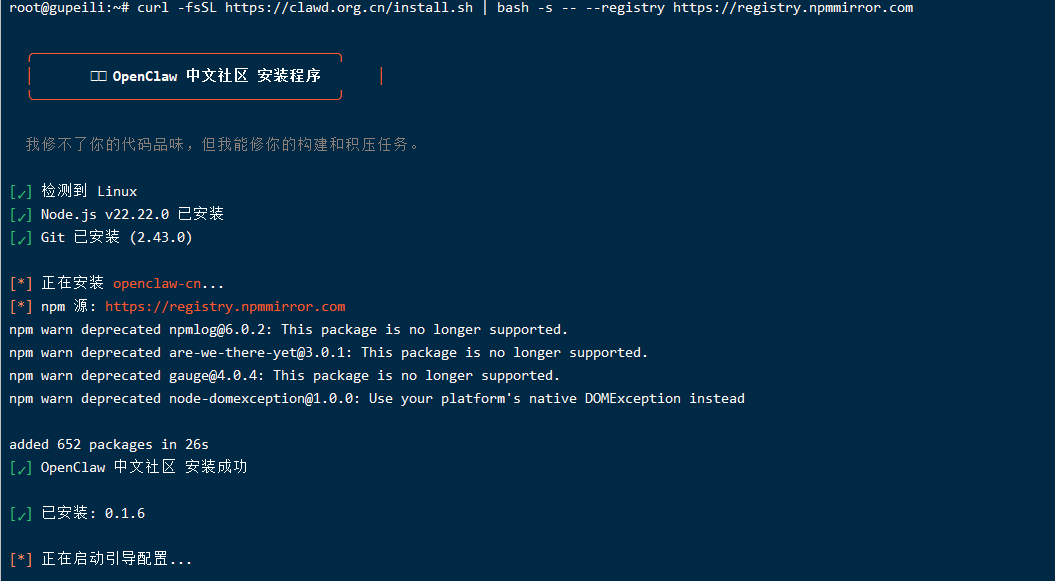
根据提示,进行配置大模型的APIkey,配置完成后,进行网关启动;
如果你的ubuntu是独立的电脑,需要在局域网其他电脑上登录,请在CMD执行下面的命令:
ssh -N -L 18789:127.0.0.1:18789 root@192.168.197.50
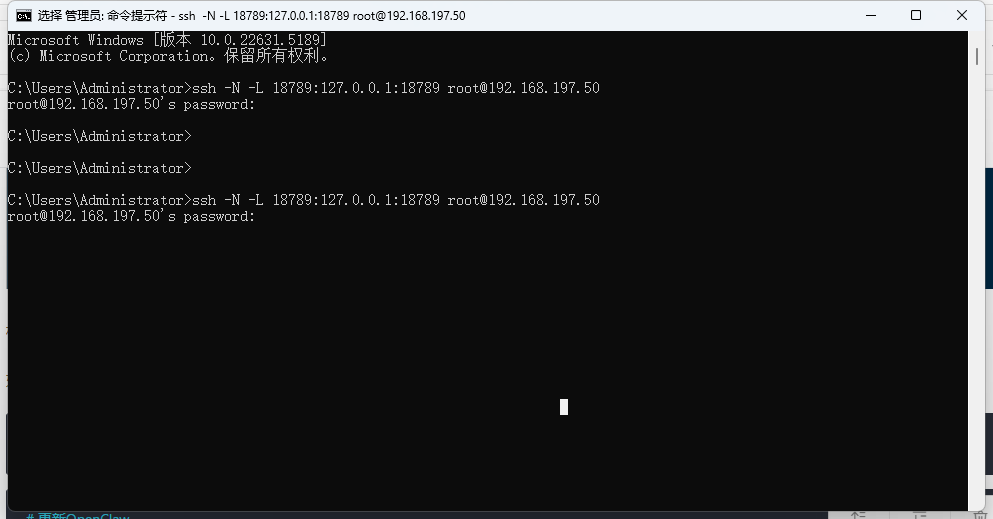
窗口不要关闭,这个时候就可以在PC上访问http://localhost:18789/进行测试了!
#重新启动配置向导
openclaw-cn onboard --install-daemon

#启动网关
openclaw-cn gateway

#查看模型
openclaw-cn models list

#查看gateway 状态
openclaw-cn gateway status

#查看openclaw版本
openclaw-cn -V
技能
#搜索skills
clawhub search "calendar"

#安装skills
clawhub install <skill-slug>

#更新已安装的skills
clawhub update --all

#同步(扫描 + 发布更新)
clawhub sync --all
飞书机器人权限配置json
{
  "scopes": {
    "tenant": [
      "aily:file:read",
      "aily:file:write",
      "application:application.app_message_stats.overview:readonly",
      "application:application:self_manage",
      "application:bot.menu:write",
      "cardkit:card:write",
      "contact:contact.base:readonly",
      "contact:user.employee_id:readonly",
      "corehr:file:download",
      "docs:document.content:read",
      "event:ip_list",
      "im:chat",
      "im:chat.access_event.bot_p2p_chat:read",
      "im:chat.announcement:read",
      "im:chat.announcement:write_only",
      "im:chat.chat_pins:read",
      "im:chat.chat_pins:write_only",
      "im:chat.collab_plugins:read",
      "im:chat.collab_plugins:write_only",
      "im:chat.managers:write_only",
      "im:chat.members:bot_access",
      "im:chat.members:read",
      "im:chat.members:write_only",
      "im:chat.menu_tree:read",
      "im:chat.menu_tree:write_only",
      "im:chat.moderation:read",
      "im:chat.tabs:read",
      "im:chat.tabs:write_only",
      "im:chat.top_notice:write_only",
      "im:chat.widgets:read",
      "im:chat.widgets:write_only",
      "im:chat:create",
      "im:chat:delete",
      "im:chat:moderation:write_only",
      "im:chat:operate_as_owner",
      "im:chat:read",
      "im:chat:readonly",
      "im:chat:update",
      "im:message",
      "im:message.group_at_msg:readonly",
      "im:message.group_msg",
      "im:message.p2p_msg:readonly",
      "im:message:readonly",
      "im:message:send_as_bot",
      "im:resource",
      "sheets:spreadsheet",
      "wiki:wiki:readonly"
    ],
    "user": [
      "aily:file:read",
      "aily:file:write",
      "im:chat.access_event.bot_p2p_chat:read"
    ]
  }
}
{
  "scopes": {
    "tenant": [
      "base:app:copy",
      "base:app:create",
      "base:app:read",
      "base:app:update",
      "base:collaborator:create",
      "base:collaborator:delete",
      "base:collaborator:read",
      "base:dashboard:copy",
      "base:dashboard:read",
      "base:field:create",
      "base:field:delete",
      "base:field:read",
      "base:field:update",
      "base:form:read",
      "base:form:update",
      "base:record:create",
      "base:record:delete",
      "base:record:read",
      "base:record:retrieve",
      "base:record:update",
      "base:role:create",
      "base:role:delete",
      "base:role:read",
      "base:role:update",
      "base:table:create",
      "base:table:delete",
      "base:table:read",
      "base:table:update",
      "base:view:read",
      "base:view:write_only",
      "bitable:app",
      "bitable:app:readonly",
      "board:whiteboard:node:create",
      "board:whiteboard:node:delete",
      "board:whiteboard:node:read",
      "board:whiteboard:node:update",
      "contact:contact.base:readonly",
      "contact:user.base:readonly",
      "contact:user.employee_id:readonly",
      "contact:user.employee_number:read",
      "contact:user.id:readonly",
      "docs:doc",
      "docs:doc:readonly",
      "docs:document.comment:create",
      "docs:document.comment:read",
      "docs:document.comment:update",
      "docs:document.comment:write_only",
      "docs:document.content:read",
      "docs:document.media:download",
      "docs:document.media:upload",
      "docs:document.subscription",
      "docs:document.subscription:read",
      "docs:document:copy",
      "docs:document:export",
      "docs:document:import",
      "docs:event.document_deleted:read",
      "docs:event.document_edited:read",
      "docs:event.document_opened:read",
      "docs:event:subscribe",
      "docs:permission.member",
      "docs:permission.member:auth",
      "docs:permission.member:create",
      "docs:permission.member:delete",
      "docs:permission.member:readonly",
      "docs:permission.member:retrieve",
      "docs:permission.member:transfer",
      "docs:permission.member:update",
      "docs:permission.setting",
      "docs:permission.setting:read",
      "docs:permission.setting:readonly",
      "docs:permission.setting:write_only",
      "docx:document",
      "docx:document.block:convert",
      "docx:document:create",
      "docx:document:readonly",
      "drive:drive",
      "drive:drive.metadata:readonly",
      "drive:drive.search:readonly",
      "drive:drive:readonly",
      "drive:drive:version",
      "drive:drive:version:readonly",
      "drive:export:readonly",
      "drive:file",
      "drive:file.like:readonly",
      "drive:file.meta.sec_label.read_only",
      "drive:file:download",
      "drive:file:readonly",
      "drive:file:upload",
      "drive:file:view_record:readonly",
      "event:ip_list",
      "im:app_feed_card:write",
      "im:biz_entity_tag_relation:read",
      "im:biz_entity_tag_relation:write",
      "im:chat",
      "im:chat.access_event.bot_p2p_chat:read",
      "im:chat.announcement:read",
      "im:chat.announcement:write_only",
      "im:chat.chat_pins:read",
      "im:chat.chat_pins:write_only",
      "im:chat.collab_plugins:read",
      "im:chat.collab_plugins:write_only",
      "im:chat.managers:write_only",
      "im:chat.members:bot_access",
      "im:chat.members:read",
      "im:chat.members:write_only",
      "im:chat.menu_tree:read",
      "im:chat.menu_tree:write_only",
      "im:chat.moderation:read",
      "im:chat.tabs:read",
      "im:chat.tabs:write_only",
      "im:chat.top_notice:write_only",
      "im:chat.widgets:read",
      "im:chat.widgets:write_only",
      "im:chat:create",
      "im:chat:delete",
      "im:chat:moderation:write_only",
      "im:chat:operate_as_owner",
      "im:chat:read",
      "im:chat:readonly",
      "im:chat:update",
      "im:datasync.feed_card.time_sensitive:write",
      "im:message",
      "im:message.group_at_msg:readonly",
      "im:message.group_msg",
      "im:message.p2p_msg:readonly",
      "im:message.pins:read",
      "im:message.pins:write_only",
      "im:message.reactions:read",
      "im:message.reactions:write_only",
      "im:message.urgent",
      "im:message.urgent.status:write",
      "im:message.urgent:phone",
      "im:message.urgent:sms",
      "im:message:readonly",
      "im:message:recall",
      "im:message:send_as_bot",
      "im:message:send_multi_depts",
      "im:message:send_multi_users",
      "im:message:send_sys_msg",
      "im:message:update",
      "im:resource",
      "im:tag:read",
      "im:tag:write",
      "im:url_preview.update",
      "im:user_agent:read",
      "sheets:spreadsheet",
      "sheets:spreadsheet.meta:read",
      "sheets:spreadsheet.meta:write_only",
      "sheets:spreadsheet:create",
      "sheets:spreadsheet:read",
      "sheets:spreadsheet:readonly",
      "sheets:spreadsheet:write_only",
      "space:document.event:read",
      "space:document:delete",
      "space:document:move",
      "space:document:retrieve",
      "space:document:shortcut",
      "space:folder:create",
      "wiki:member:create",
      "wiki:member:retrieve",
      "wiki:member:update",
      "wiki:node:copy",
      "wiki:node:create",
      "wiki:node:move",
      "wiki:node:read",
      "wiki:node:retrieve",
      "wiki:node:update",
      "wiki:setting:read",
      "wiki:setting:write_only",
      "wiki:space:read",
      "wiki:space:retrieve",
      "wiki:space:write_only",
      "wiki:wiki",
      "wiki:wiki:readonly"
    ]
  }
}
添加事件:im.message.receive_v1(接收消息)
im.message.receive_v1
注意事项:
1、飞书机器人需要用 企业用户创建的才可以添加到群聊里;
如何节省大量TOKEN(50%-90%)
1、安装QMD方案把上面的截图发给openclaw,它会自动帮你安装好; 2、用本地模型跑心跳 用比较便宜或者免费的模型来跑大模型;
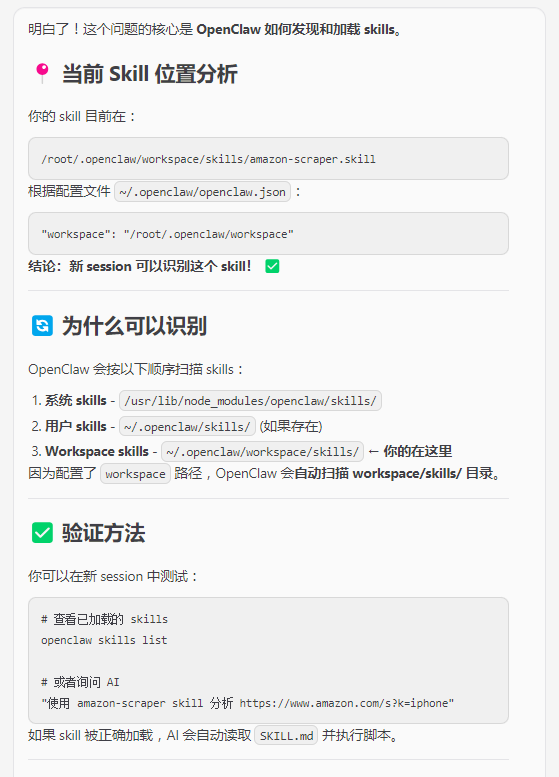
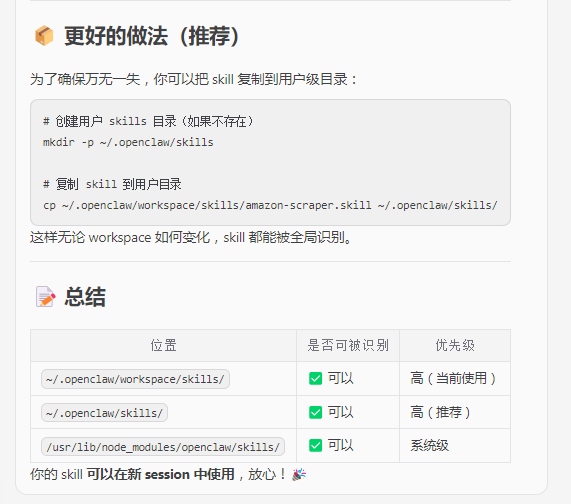
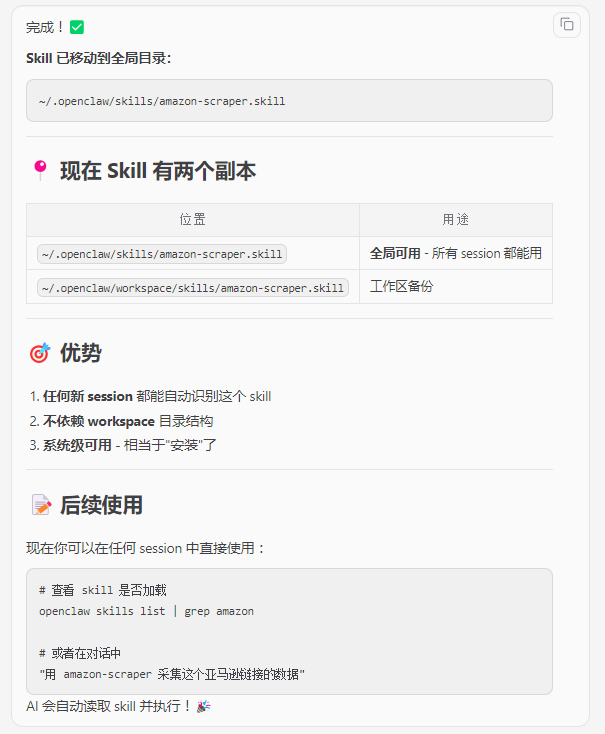
关于skills的放置路径问题
关于定时任务
# 查看任务列表
openclaw cron list

# 暂停任务
openclaw cron disable rainbow-praise-every-minute

# 重新启用
openclaw cron enable rainbow-praise-every-minute

# 删除任务
openclaw cron rm rainbow-praise-every-minute

# 立即执行一次(测试)
openclaw cron run rainbow-praise-every-minute

 赞
赞 

 打赏
打赏  生成海报
生成海报 













发表回复
评论列表(0条)